CaseStudy_MarkovProg
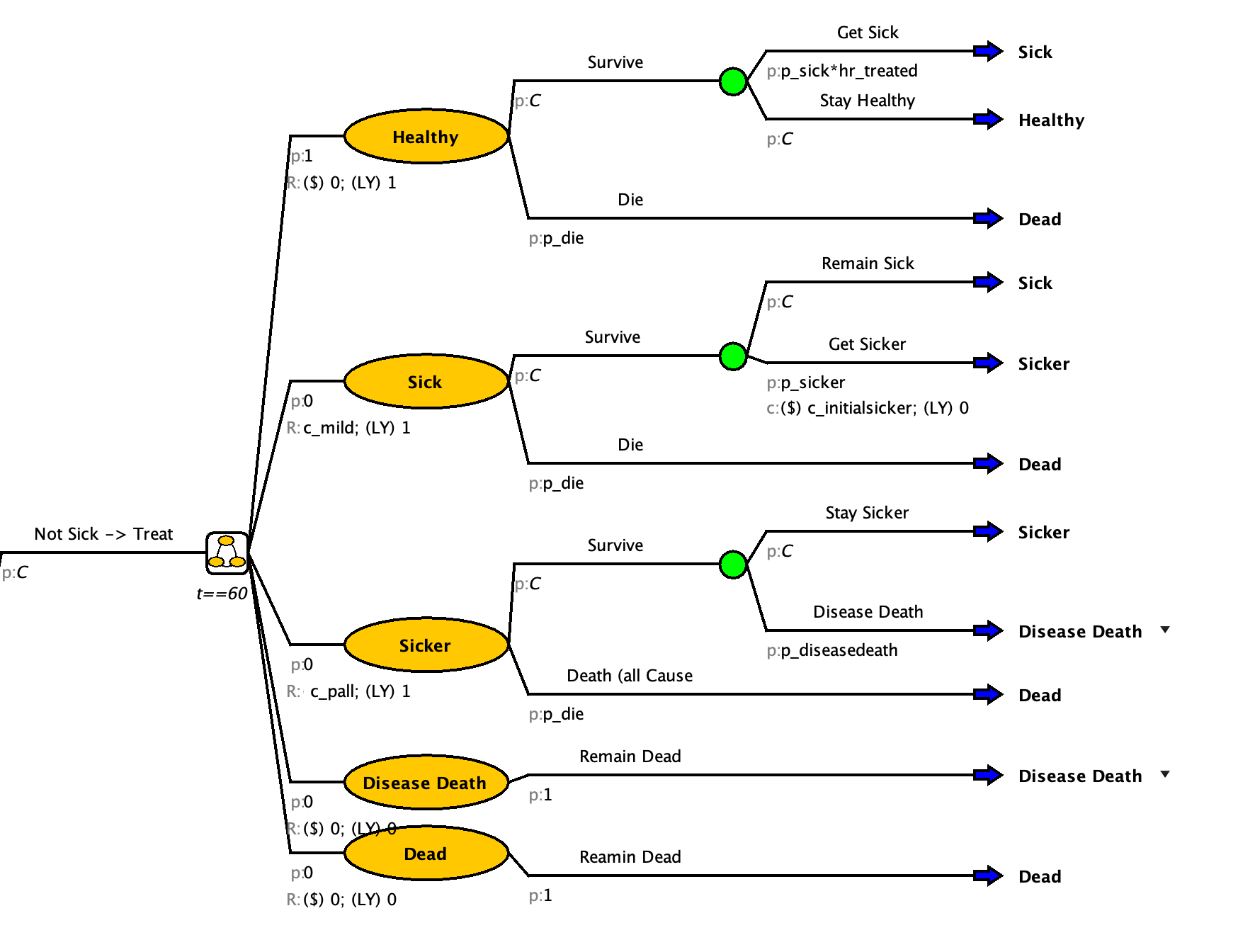
To help visualize how this will work, here is a bubble diagram
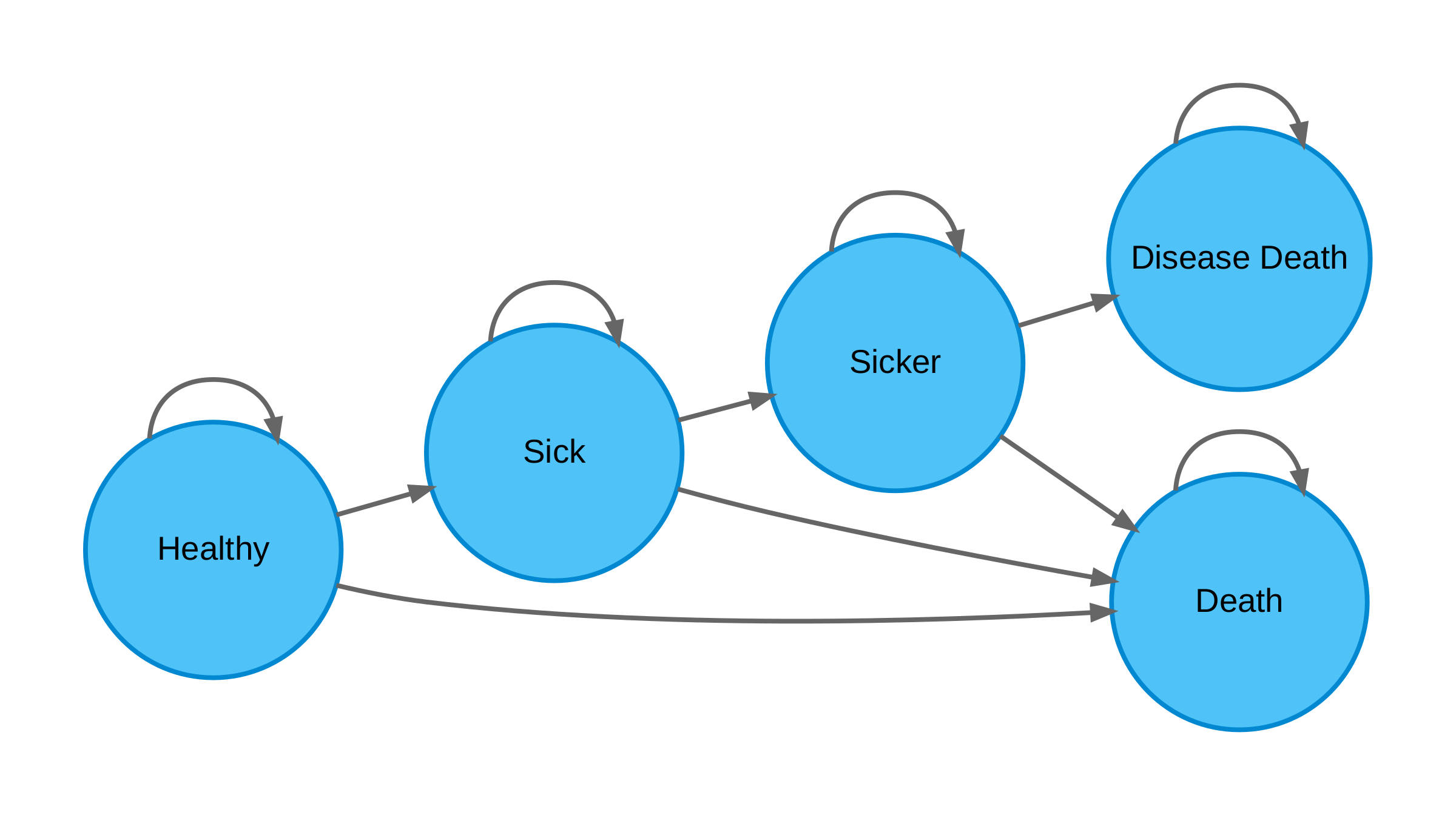
Adding in progression in our model can help create a more realistic clinical model.
Previously we assumed that everyone with Disease X received palliative care but in clinical reality it is only provided with progressed disease. There is also a one time cost for a higher dose of palliative care when transitioning from mild to progressive disease.
While treatment lowers your probability of Healthy to Sick, it does not affect the probability of disease progression (Sick to Sicker). We will assume that no one starts in progressed disease. Disease death can only happen from the progressed state. The % of deaths from Disease X is minimal in the total death rate so there is no need to remove it from the all cause deaths.
Additional Parameters
| Name | Value | Description |
|---|---|---|
| p_sicker | 0.12 | Annual probability of getting sicker from a mild case of Disease X |
| c_mild | $1,000 | Cost of being mildly sick (doctors appointments) |
| c_initialsicker | $50,000 | One-time cost between mild and progression |
Add the additional states to your model
Disease Death
Add a “Disease Death” state
More assistance with step
- Create a “Disease Death” state from the markov node
- Set the starting probability to 0
- Create a return to “Disease Death” event
Check your Model

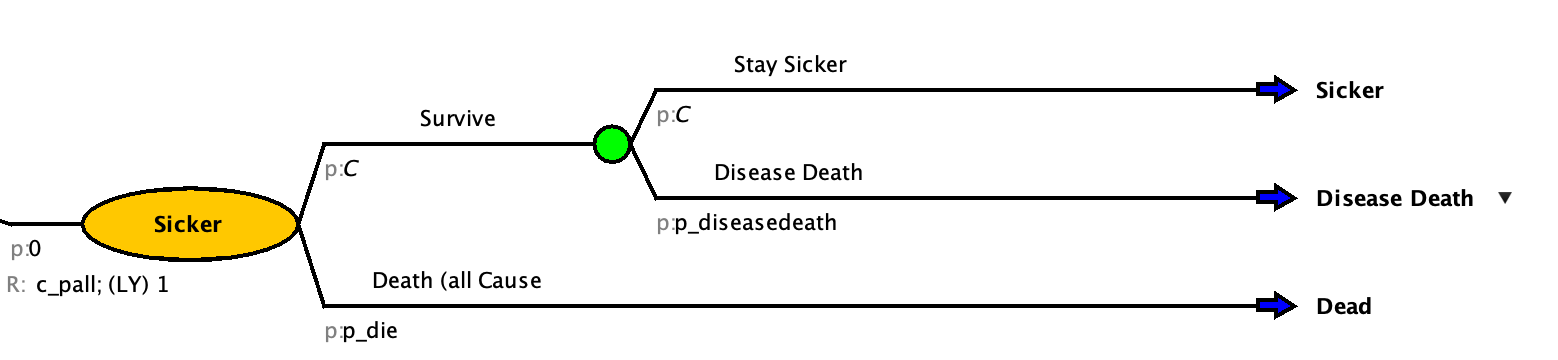
Sicker
Add a “Sicker” state
More assistance with step
A: Create a Sicker State
Add a Sicker state to the “Treat None” markov model
Set the starting probability to 0
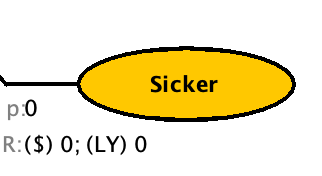
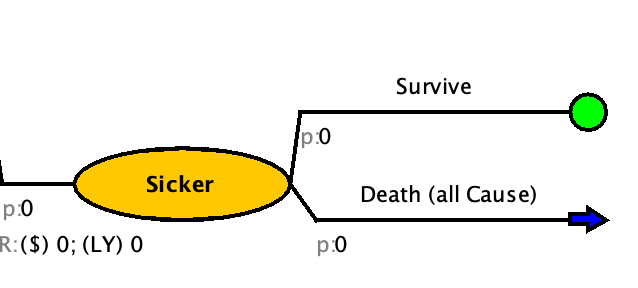
Add all cause death event
Add disease death event
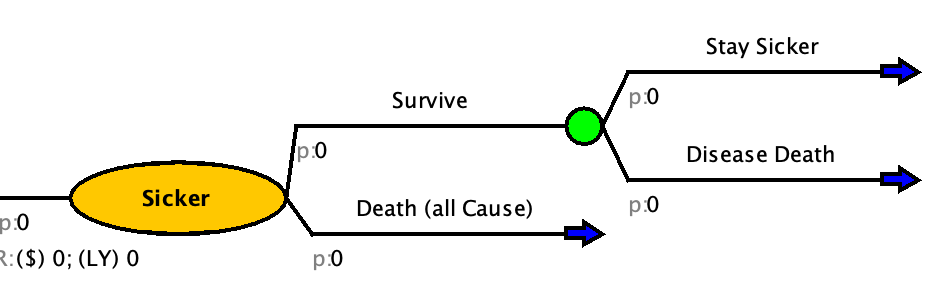
Update outcomes and probabilities
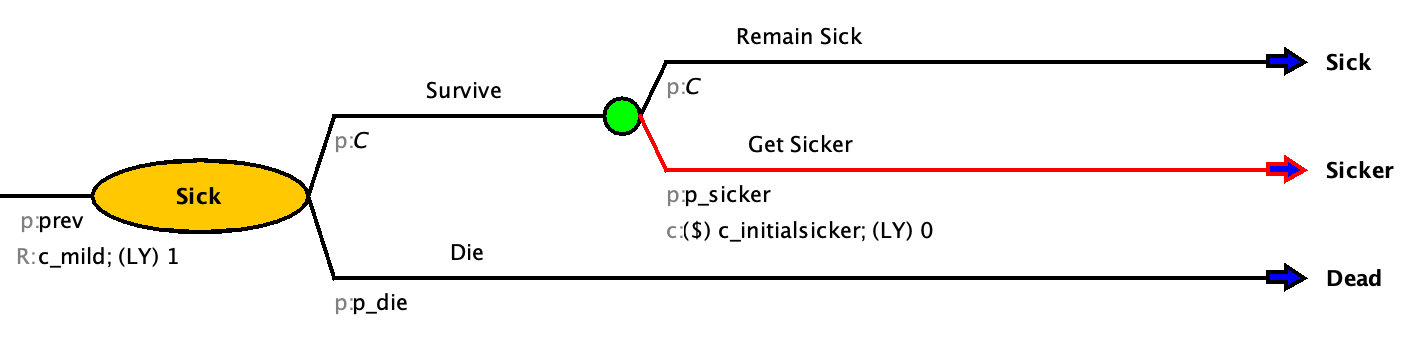
B: Update the Sick State
- Update Sick to go to Sicker
- Add one time cost of sick to sicker
- Set cost of the Sick state to c_mild
To find where a variable is in a model use the “Highlight Use” Tool
- Select the Expression of a parameter or variable that you want to find in the model
- Click the
 symbol above at the top of the right sidebar
Now the variable will highlight green everywhere it is in the model.
Check your Model
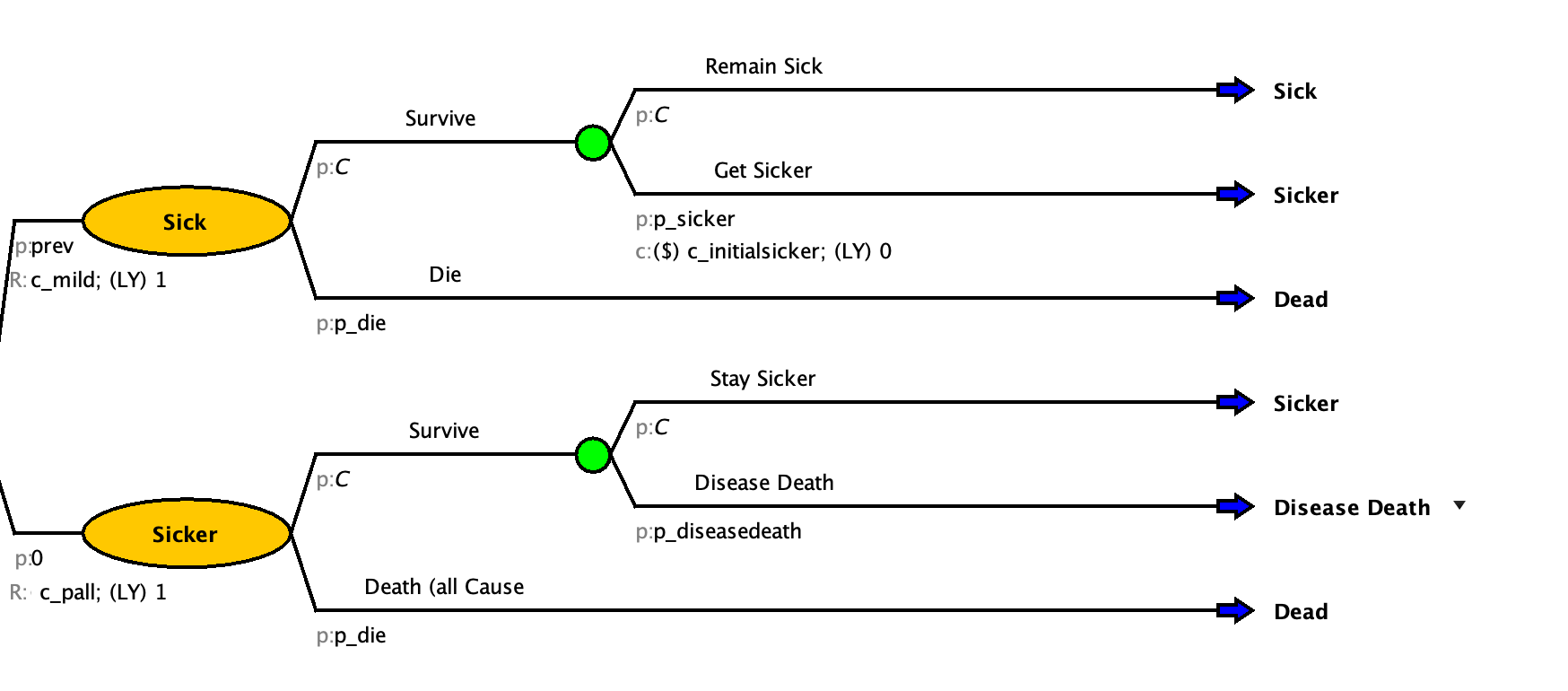
Repeat for the markov models on Treat ALL
Check your Model
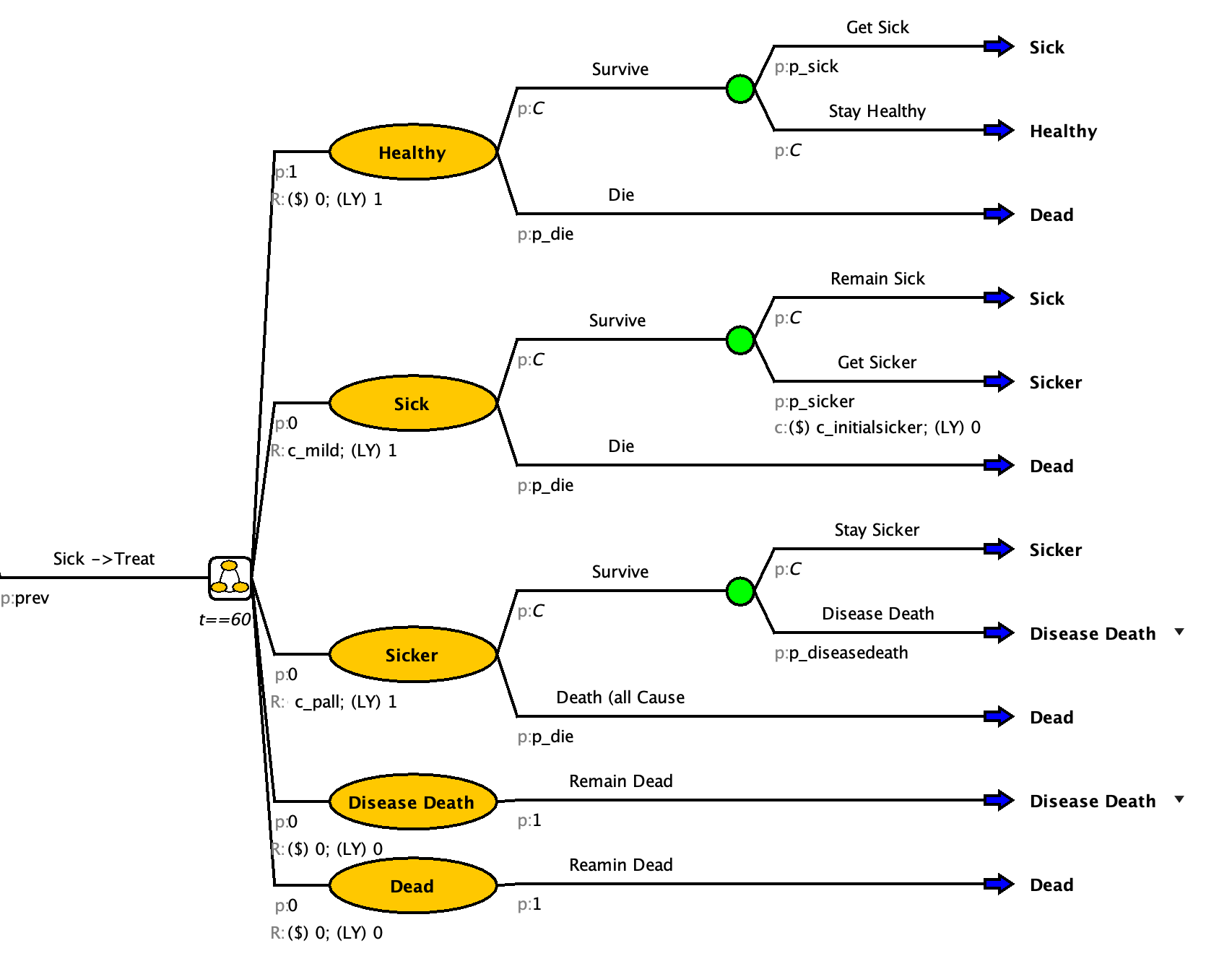
Enter the ICER for the strategy you would choose (to 2 deminal places)