Workshop Pre-Work
Welcome Letter
Congratulations on being selected to join us for the Health Economics Decision Modeling Workshop in Cebu. To provide you with the best experience possible, we are asking you to complete some pre-work ahead of attending the workshop.
This work is designed to help you prepare for the capstone project you will complete during the workshop. It may feel a bit unusual because, instead of learning the theory first and then applying it, we are asking you to start with practical work. If you do not have a modeling background, do not worry. We have created tools to guide you in gathering the necessary information without requiring prior modeling experience. If you encounter challenges along the way, please do not hesitate to reach out if you have any questions, we are here to help.
Please complete the following before the workshop:
Complete the topic survey that will sent to your email [Due: December 19]
Collect data using the data collection tool [Due January 8]
- The data collection survey will sent to your email to collect your progress
Complete the knowledge baseline survey that will be sent to your email [Due January 19]
Download AMUA [Due January 19]
Slides to introduce yourself and your topic (format below) [Due January 23]
How to create a PICOT Question
A PICOT question helps you clearly define the focus of your project by breaking it into five key components: Population, Intervention, Comparison, Outcome, and Timeframe. This structured approach ensures your work is specific, measurable, and aligned with evidence-based practice, making it easier to guide research, collect data, and evaluate results effectively.
We recommend using the PICOT guide created by the AWHONN. We have include their pdf guide in the dropdown below.
Instructions for AWHONN PICOT guide
Used with permission from AWHONN
How to Complete a Literature Search for Data for Your Model
Data and Same process for lit reviews
This section provides general resources on conducting academic searches, including tips for using databases and refining keywords. You’ll also find a PDF guide specifically focused on searching for cost-effectiveness analyses (CEAs), which walks you through strategies to locate studies efficiently. Both can be accessed through the dropdowns below.
General Best Practices
Finding Literature for Your Research
Use your PICO(T) Question
You can paste concepts from your PICO(T) question into an online search.
- Do not include directional terms (decrease, improve, etc.). Including directional terms may return an incomplete and biased literature search.
Example: In adolescents with anxiety or depression (P), how does cognitive behavioral therapy (I) compared to current practice (C) affect treatment outcomes (O)?
Pull out Key Concepts
When you look through your PICO(T) questions what are the main themes that come up? These should be the topics that are specific enough to return helpful data but broad enough that research has been conducted.
Key Concepts from Example:
• Adolescents
• Anxiety or depression
• Cognitive behavioral therapy
Consider variations
To make sure that all papers related to your topic are captured, you will want to create a list of other words and phrases that can be used to describe the same thing. These will result in more papers related to your topic.
Example variations in phrase and spelling:
• Adolescents – adolescent (s), youth (s), teen (s), teenager (s)
• Anxiety or depression – depressed, depressive, depression, anxiety, anxiousness, angst, nervousness, hypervigilant, hypervigilance
• Cognitive behavioral therapy – cognitive behavioral therapy (ies), cognitive behaviour therapy (ies), mindfulness, cognitive restructuring, cognitive reframing, cognitive psychotherapy (ies)
Use Boolean operators to write your search
Boolean operators connect search terms together and define the results that are produced.
AND – all search terms must be present in results returned
OR – any of the search terms can be present in the results returned
NOT – ignore a search term; do not include it in the results returned Advanced search strategies can easily expand or specify your search.
* – using the wild card returns results that include all terms with any ending in the root word
() – nesting works by grouping all like alternative terms
Example search strategy: (adolescent* OR your* OR teen) AND (depress OR angst OR anxiety OR anxious* OR nervous OR hypervigilan) AND (“cognitive behavioral therap” OR “cognitive behaviour therap” OR mindfulness OR “cognitive restructure” OR “cognitive reframe*”)
Where to Find Papers
PubMed® https://pubmed.ncbi.nlm.nih.gov/
Largest biomedical and health sciences literature database comprising more than 39 million citations for biomedical literature from MEDLINE, life science journals, and online books. Hosted by the US National Library of Medicine.
Interactive tutorials on the PubMed® website:
• Save Searches and Set E-mail Alerts
• Subject Search: How It Works
Web of Science IP Address: 160.129.250.236
Paid-access platform
Google Scholar https://scholar.google.com/
Freely available search engine
S.I.F.T Method https://hapgood.us/2019/06/19/sift-the-four-moves/
Use this method to help you judge the veracity of the online source.
S – Stop
I – Investigate the source
F – Find better coverage
T – Trace quotes, claims, and media back to the original context
Citation Management
We will not be requiring this for the workshop. Please focus on collecting data over using citation management. However, we wanted to ensure that resources were still provided.
ORCiD Open Researcher and Contributor ID orcid.org
ORCiD is a free, unique, persistent identifier (PID) for individuals to use as they engage in research and scholarship activities.
Mendeley is a desktop and web program for managing and sharing research papers, discovering research data and collaborating online. It combines Mendeley Desktop, a PDF and reference management application (available for Windows, Mac and Linux) with Mendeley Web, an online social network for researchers.
Download Mendeley Applications
Import papers, web pages and other documents directly into your reference library from search engines and academic databases.
Available from mendeley.com
Zotero is a free, open-source citation management software.
Getting Started:
Download the application to your computer where you can view and manage your citations from your desktop.
Register for a free account. Sync your online account with your desktop application to view and manage your library online.
Install the web connector into your browser and import citations from the web directly into your Zotero library.
Zotero Support and Training: Information and materials available from Zotero’s website.
Created based on tools from the Vanderbilt University Biomedical Library
CEA Specific
Data Collection Tool
We understand the difficulty of trying to collect data for your project without knowing the modeling methods. We have attempted to create tools to help you collect the information you need without modeling experience. However, you may run into challenges. There is a form submission at the bottom of the tool to ask for assistance from the team. Please read the information in the dropdown below before starting to work within the tool.
What to know about the Data Collection Tool
About the tool
This tool will walk you through tabs from left to right (Introduction → 1 → 2 → 3 → 4 → 5 → 6), to help you determine the data points that you need. The tool has been created without modeling specific text to help you understand the steps on each tab.
Using this tool will help you
Have an indepth understanding of your disease/health condition
Choose strategies to compare
Identify health states
List events that happen
Collect data
Saving your work
The tool will auto save your changes to your machine, but we HIGHLY recommend using the backup save after each session to ensure you do not lose all your data. When you click the Manual Backup button, a file will download to your computer (it ends in .rds)
The Excel download on tab 6 cannot be loaded back into the tool.
Working together
We recommend that each participant individually complete tabs 1, 2, 3, 4, and 5. However, you should work on step 6 with your topic team once the team agrees on the other steps. The .rds file that is saved upon clicking the Manual Backup button can be shared with the rest of your assigned topic team so you can work together on data collection.
The .rds file will include all the data you input. If you are using sensitive or classified data, you can make a note in the tool instead of uploading it and keep the data saved somewhere easy to access on your machine.
In early January, we will be asking for the .rds to understand the progress that has been made on data collection.
For assistance with the tool
Start with the walk-through under the ❓Help & FAQ section. If that is unable to answer your questions, please reach out to get assistance.
How to Download Amua
For the workshop, the free open-source tool Amua will be used to work on the case study and capstone. Amua is a user friendly decision modeling tool developed by Zach Ward, our colleague at Harvard University. Information on how to install Amua is provided in the dropdown below.
Download Instructions
1. Install Java on your computer
To check if java is on your computer do the following:
| On a Windows | On a Mac |
|---|---|
|
|
If you have java it will print out a the version. It will look like this:
USER@ComputerID ~ % java -version
java version "1.8.0_471"
Java(TM) SE Runtime Environment (build 1.8.0_471-b09)
Java HotSpot(TM) 64-Bit Server VM (build 25.471-b09, mixed mode)
If you do not see this, then you need to first download and install Java.
2. Download Amua
Once Java is installed on your computer, you will need to download Amua. Follow the instructions on the website below.
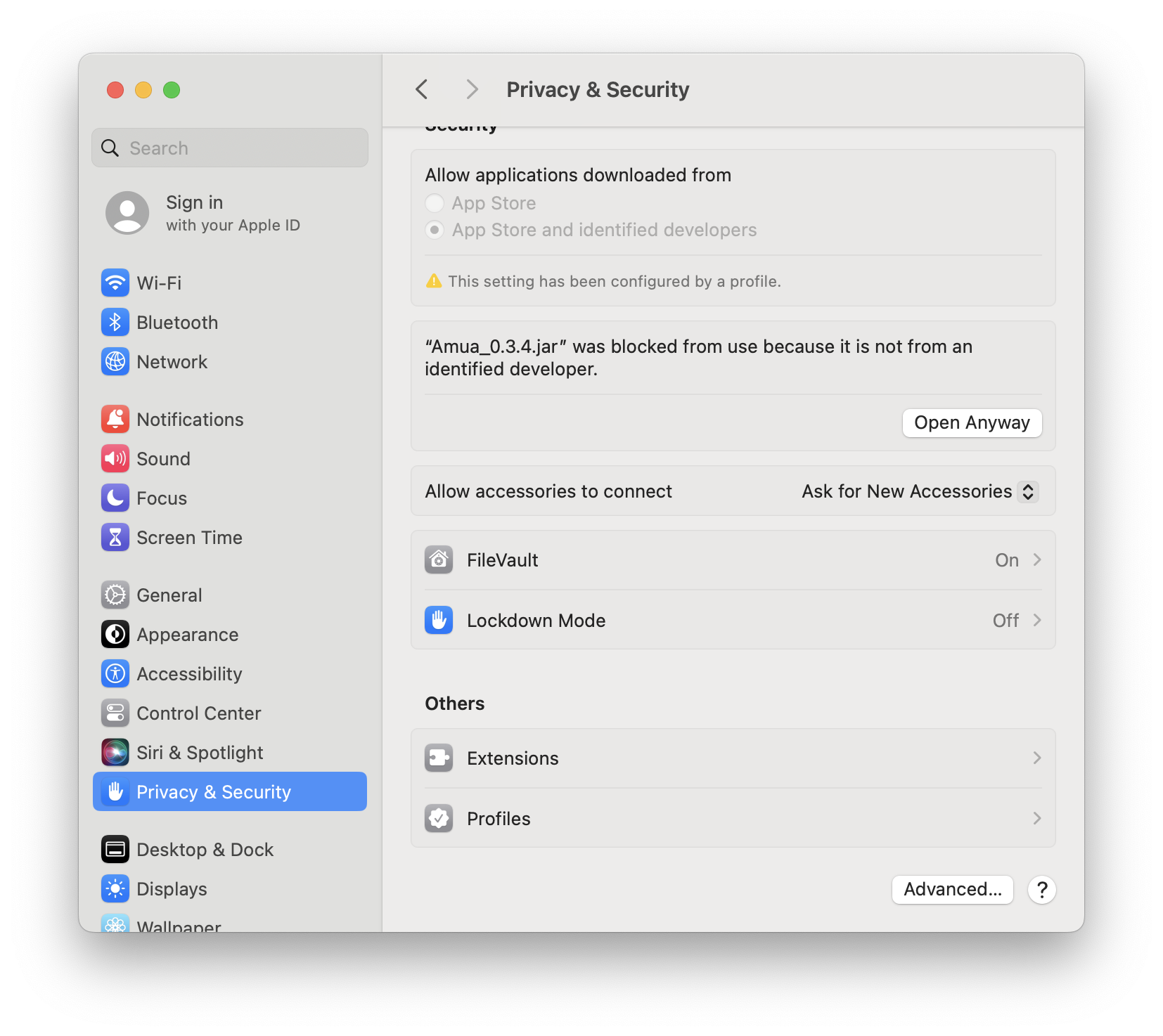
Mac Users: If it says “Amua_0.3.4.jar” cannot be opened because it is from an unidentified developer.”, Go Settings > Privacy & Security. Scroll down until you see the app being blocked and click Open Anyway.
3. Open to make sure it works!
After you have downloaded Amua, open it to make sure that it works. You should see the following screen.
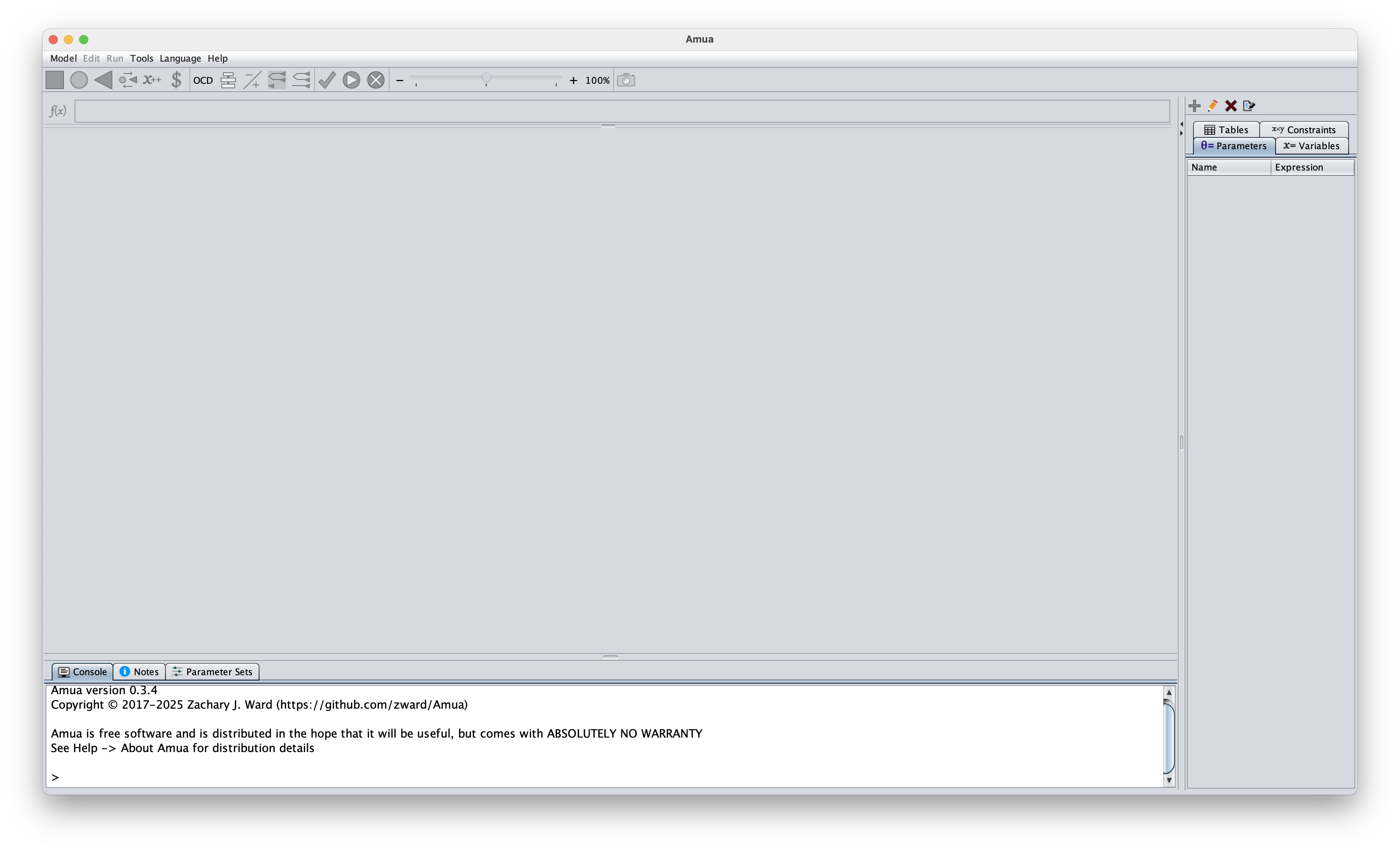
If this worked, you have successfully downloaded AMUA 🎉
Start creating your slides
One the first day of the workshop, you will meet in small groups and present your capstone information in small groups. These meetings will cover the first few slides of your eventual final capstone project. Each day you will have time to work on the capstone and create the slides for the final presentation. Rgw initial slides you should bring are in the dropdown below. Please stick to the slides provided to ensure all workshop participants get equal opportunity to present and discuss.
More Information
Upon arrival you should have the following:
Slide 1: Introduction to you
Slide 2: Background of your topic
Slide 3: Research Question using PICO(T)
Slide 4: Strategies that you are comparing
Please use the following template and example to create your slides. These will be presented on day 1 of the workshop.
Here is a link to download the presentation file.
Thank you for all the time you have put into the pre-work, we look forward to seeing you at the Cebu 2026 workshop! Please reach out with any capstone questions, we want to make sure you can be succesfull at the workshop.