Case Study: QALYs
Decision Trees
Add QALY Dimension
We now want to add a new outcome dimension: QALYs (Quality-Adjusted Life Years). QALYs are a measure of disease burden, where 1 = perfect health and 0 = death.
Instructions:
In Amua, go to Model → Properties → Analysis tab.
Add a new dimension:
Dimension: QALE
Symbol: Q
Decimals: 2
Click
 Refresh
For QALYs make sure the objective is maximizing
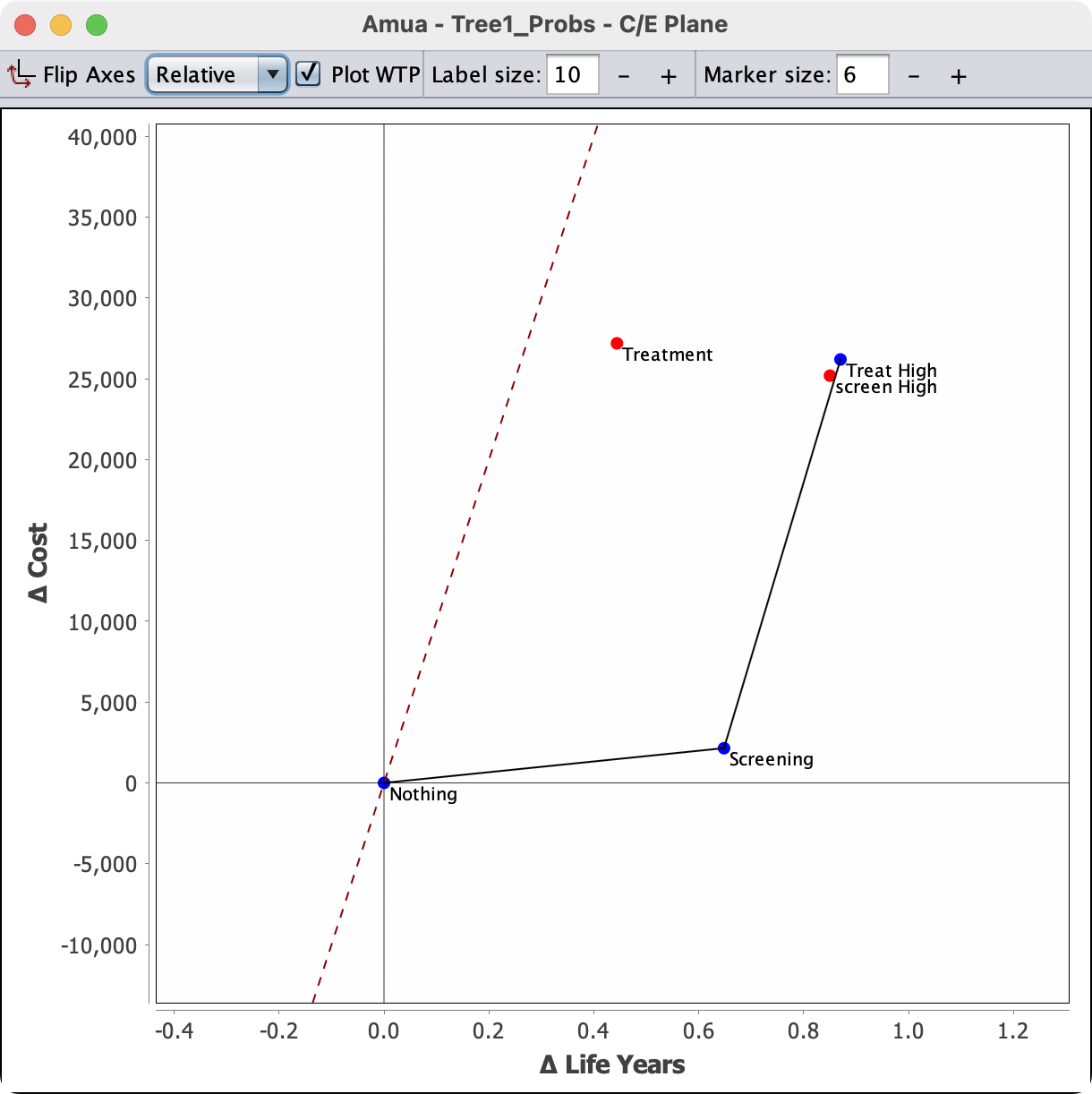
We can now return to the tree and enter QALE values at each terminal node
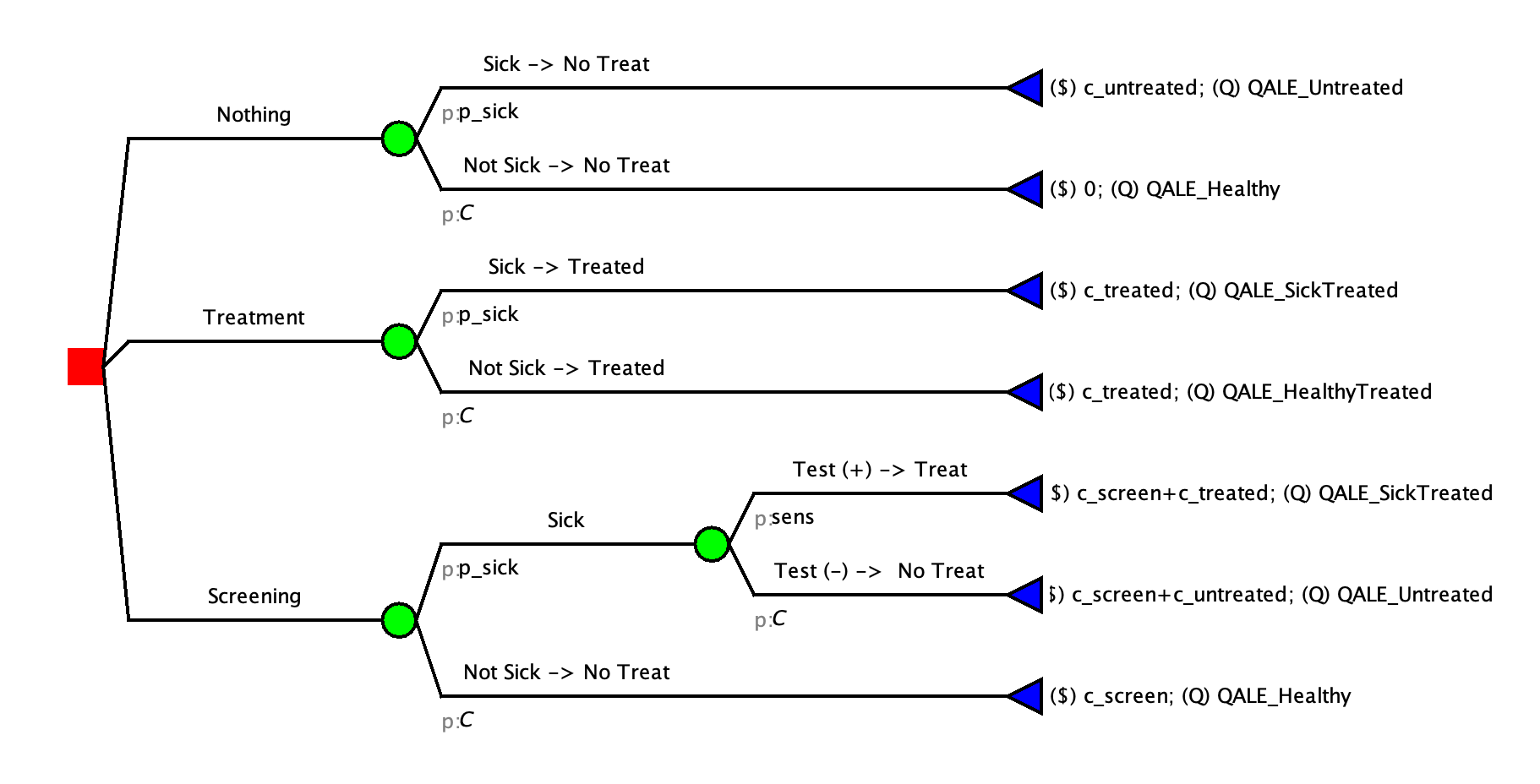
| Clinical State | QALE | Notes |
|---|---|---|
| QALE_Untreated | 3.21 | Large amounts of time at low quality of life |
| QALE_SickTreated | 14.54 | Short amounts of time sick and in treatment |
| QALE_Healthy | 20 | Full Health |
| QALE_HealthyTreated | 19.432 | Very short amount of time in treatment |
You can apply these QALE values to terminal nodes in Amua accordingly. Your tree should like this:
Now, you’re ready to perform a cost-effectiveness analysis with QALYs as the outcome!
Click  Run Model and check out the CEA Results report.
Markov Models
Add a QALE Dimension
We now want to add a new outcome dimension: QALE (Disability-Adjusted Expectancy). QALYs, where 1 = perfect health and 0 = death. For this model, we will add Years of Life Lost. To discount these from the start of time and the time of occurrence we will use the built in discounting (from start time) and add discounting from the time of death.
A: Important Parameters
Quality of Life Adjustments
| Name | Value | Description |
|---|---|---|
| u_healthy | 1.0 | Quality-of-life (QoL) weight for healthy state. |
| u_treatment | 0.932 | Quality-of-life (QoL) weight for healthy state. |
| u_sick | 0.842 | Quality-of-life (QoL) weight for sick health state. |
| u_sicker | 0.645 | Quality-of-life (QoL) weight for sicker health state |
| u_dead | 0 | Quality-of-life (QoL) weight for death health states. |
Add QALYs
A: Add A QALY Outcome
In Amua, go to Model → Properties → Analysis tab.
Add a new dimension:
Dimension: QALE
Symbol: QALY
Decimals: 2
Click
RefreshChange the “Analysis Type” to Cost-Effectiveness Analysis (CEA).
Set the Cost, Effect, Baseline Strategy and Willingness-to-pay (WTP). Ensure that the Effect Objective is still set to mazimize.
Go to the Markov tab and add in the discount rate for DALYs. (3.0)
B: Add QALY to the model
- Next, in the model itself, define the cycle-specific payoffs based on the values in the table above.
{width="555"}- Repeat the same thing with the Treat All branch. BUT also add a one time utility for treatment
Solution File:
What if there are multiple disability weights in one state?
For Example: Suppose you can get AD heart failure and Stroke in one state.
There are multiple ways to handle this: Joint Utility Methods Slides